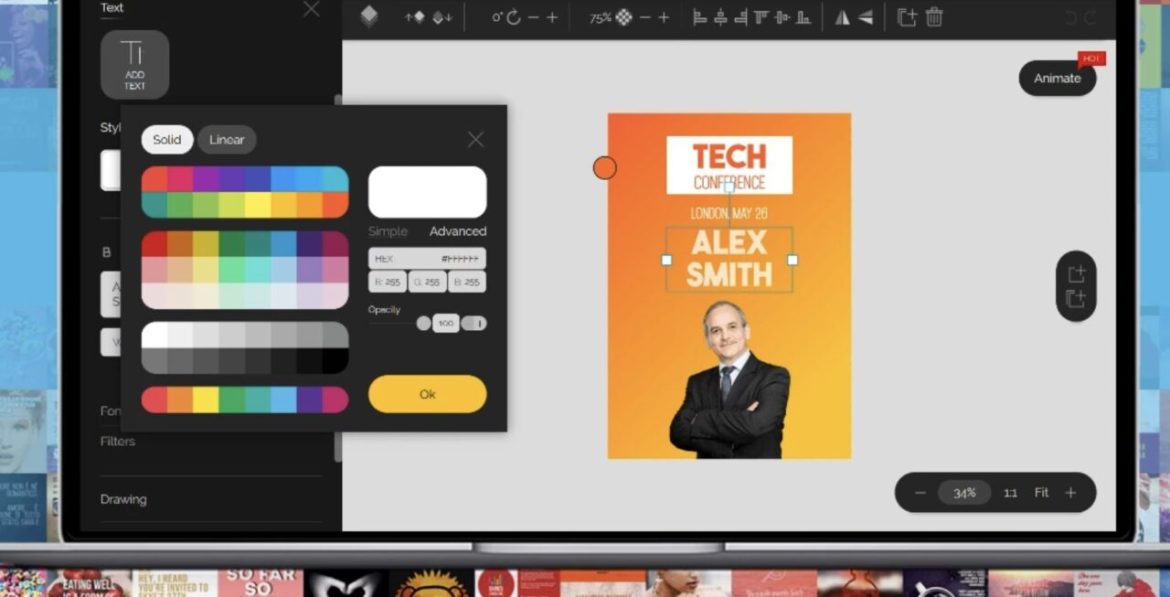
Flyers remain one of the most effective marketing materials for promoting businesses, events, sales, grand openings, fundraisers, and community activities. Whether you’re printing thousands of copies or sharing a digital version on social media, a professionally designed flyer can quickly capture attention and communicate your message.
Today’s flyer makers offer far more than simple templates. Many include AI-powered design tools, drag-and-drop editors, stock photo libraries, brand kits, and print-ready exports that make creating high-quality marketing materials easier than ever.
In this guide, we’ll compare the ten best flyer makers in 2026 to help you find the right platform for your business, organization, or creative project.
How We Evaluated These Flyer Makers
Each platform was evaluated based on:
- Ease of use
- Flyer template selection
- Design flexibility
- AI-powered features
- Print quality
- Branding tools
- Collaboration features
- Pricing and overall value
1. Canva
Best Overall Flyer Maker
Canva remains one of the most popular flyer makers thanks to its intuitive drag-and-drop editor and extensive template library. Users can choose from thousands of professionally designed flyer templates for businesses, restaurants, schools, nonprofits, real estate, events, and more.
Its AI-powered Magic Design tools help generate layouts, remove backgrounds, and create graphics in minutes. Canva also offers access to millions of stock photos, illustrations, icons, and fonts, making it easy to produce polished marketing materials.
Whether you’re printing flyers or sharing them digitally, Canva is one of the easiest and most versatile options available.
Pros
- Huge template library
- Excellent AI tools
- Beginner friendly
- Collaboration features
- Print services available
Cons
- Some premium templates require Canva Pro
2. Adobe Express
Best for Professional Marketing Materials
Adobe Express combines Adobe’s creative expertise with beginner-friendly editing tools.
Users can quickly design professional flyers using high-quality templates while taking advantage of AI-powered background removal, text effects, image generation, and automatic resizing.
Businesses already using Photoshop or Illustrator will appreciate the seamless integration with Adobe Creative Cloud.
Pros
- Professional templates
- Excellent AI features
- Creative Cloud integration
- Great branding tools
Cons
- Premium features require a subscription
3. VistaCreate
Best for Social Media Promotions
VistaCreate offers thousands of modern flyer templates alongside animated marketing assets, making it an excellent option for businesses that promote both online and offline.
Its large library of photos, videos, and illustrations helps users quickly build attractive promotional materials.
Pros
- Large template library
- Easy editing
- Affordable plans
- Great visual assets
Cons
- Smaller ecosystem than Canva
4. Kittl
Best for Creative Flyer Design
Kittl has become a favorite among designers thanks to its premium typography tools and AI-powered illustration features.
It’s ideal for creating event posters, music flyers, restaurant promotions, art exhibitions, and stylish marketing materials that stand out from generic templates.
Pros
- Beautiful typography
- AI-powered graphics
- Highly customizable
- Modern templates
Cons
- Some advanced tools take time to learn
5. Piktochart
Best for Educational and Informational Flyers
Piktochart specializes in visual communication.
It’s an excellent choice for creating educational flyers, nonprofit campaigns, corporate announcements, healthcare information sheets, and infographics that present complex information clearly.
Charts, icons, and data visualization tools make it unique among flyer makers.
Pros
- Great infographic tools
- Professional layouts
- Easy data visualization
- Business-friendly
Cons
- Less suited for highly creative designs
6. DesignCap
Best Budget Flyer Maker
DesignCap provides an affordable platform with hundreds of customizable flyer templates covering restaurants, fitness, retail, schools, events, and promotions.
Its simple editor makes it easy for beginners to create attractive flyers in just a few minutes.
Pros
- Affordable
- Beginner friendly
- Good template variety
- Quick editing
Cons
- Fewer AI features than competitors
7. Visme
Best for Business Marketing
Visme is designed for businesses that regularly produce marketing materials.
Beyond flyers, users can create presentations, reports, infographics, social media graphics, and branded content while maintaining consistent colours, fonts, and visual identity.
Its collaboration features make it especially useful for marketing teams.
Pros
- Strong branding tools
- Team collaboration
- Professional templates
- Business-focused
Cons
- Learning curve for advanced features
8. Fotor
Best AI Flyer Maker
Fotor combines traditional graphic design with AI-powered editing.
Users can generate graphics, enhance images, remove backgrounds, and create promotional flyers using customizable templates and AI-assisted design tools.
It’s a great choice for freelancers and small businesses looking to produce marketing materials quickly.
Pros
- AI editing tools
- Easy interface
- Affordable plans
- Good photo editing
Cons
- Smaller template collection
9. PosterMyWall
Best for Events
PosterMyWall focuses on promotional materials for concerts, fundraisers, festivals, restaurants, schools, and local businesses.
Its extensive event template library allows users to quickly create flyers, posters, digital signage, and social media graphics from a single project.
Pros
- Excellent event templates
- Easy customization
- Print-ready exports
- Affordable pricing
Cons
- Less suitable for corporate branding
10. Microsoft Designer
Best AI-Powered Flyer Creator
Microsoft Designer uses artificial intelligence to help users generate professional flyer layouts from simple text prompts.
Its AI can recommend images, layouts, fonts, and colour combinations, allowing users to create polished marketing materials with minimal effort.
For businesses already using Microsoft 365, it integrates well with existing workflows.
Pros
- AI-generated layouts
- Very easy to use
- Modern templates
- Microsoft integration
Cons
- Smaller template library than Canva
What Should You Look for in a Flyer Maker?
Professional Templates
A strong selection of professionally designed templates helps you create polished flyers quickly while reducing the need for extensive customization.
AI Design Features
AI-powered tools can generate layouts, remove image backgrounds, recommend colour palettes, and create graphics, making the design process significantly faster.
Print-Ready Files
Choose software that exports high-resolution PDFs with bleed and crop marks to ensure professional printing results.
Branding Tools
Businesses that regularly produce marketing materials should look for brand kits, reusable colour palettes, and font management features to maintain consistency.
Stock Photos and Graphics
Built-in access to high-quality stock photos, icons, illustrations, and design assets can save both time and money when creating flyers.
Collaboration
If multiple people contribute to your marketing materials, collaborative editing and commenting features can greatly improve your workflow.
Frequently Asked Questions
What is the best free flyer maker?
Canva and Adobe Express both offer generous free plans with professional templates and enough features to create high-quality flyers.
Can AI create a flyer?
Yes. Platforms like Microsoft Designer, Canva, Adobe Express, and Fotor use artificial intelligence to generate layouts, recommend designs, and automate editing tasks.
Which flyer maker is best for small businesses?
Canva offers the best overall combination of ease of use, templates, branding tools, and affordability for most small businesses.
What file format should I use for printing flyers?
PDF is generally the preferred format because it preserves layout, fonts, and image quality while meeting most commercial printing requirements.
Can I use my own images and logo?
Yes. Every platform on this list allows you to upload your own images, logos, and branding assets to personalize your flyer.
A professionally designed flyer remains one of the most effective ways to promote products, services, events, and businesses. The right flyer maker can save hours of design work while helping you create polished marketing materials that leave a lasting impression.
For most users, Canva offers the best balance of templates, AI-powered features, collaboration tools, and ease of use. Adobe Express is an excellent choice for professional marketing teams, while Kittl delivers outstanding creative flexibility for designers. If you’re working on a tight budget, DesignCap provides solid value, and Microsoft Designer is an exciting option for users who want to take advantage of AI-assisted design.
Whichever platform you choose, investing in well-designed flyers can help your business attract more attention, communicate your message clearly, and increase engagement both online and offline.
PakarPBN
A Private Blog Network (PBN) is a collection of websites that are controlled by a single individual or organization and used primarily to build backlinks to a “money site” in order to influence its ranking in search engines such as Google. The core idea behind a PBN is based on the importance of backlinks in Google’s ranking algorithm. Since Google views backlinks as signals of authority and trust, some website owners attempt to artificially create these signals through a controlled network of sites.
In a typical PBN setup, the owner acquires expired or aged domains that already have existing authority, backlinks, and history. These domains are rebuilt with new content and hosted separately, often using different IP addresses, hosting providers, themes, and ownership details to make them appear unrelated. Within the content published on these sites, links are strategically placed that point to the main website the owner wants to rank higher. By doing this, the owner attempts to pass link equity (also known as “link juice”) from the PBN sites to the target website.
The purpose of a PBN is to give the impression that the target website is naturally earning links from multiple independent sources. If done effectively, this can temporarily improve keyword rankings, increase organic visibility, and drive more traffic from search results.